
Click to download now, finish the installation quickly, and directly unlock the all-round experience
Screenshots


Click to download now, finish the installation quickly, and directly unlock the all-round experience
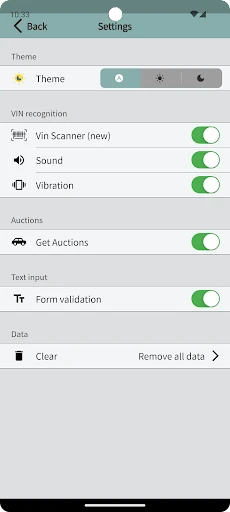
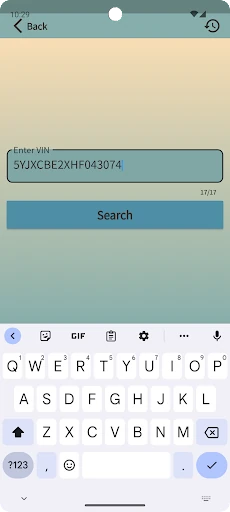
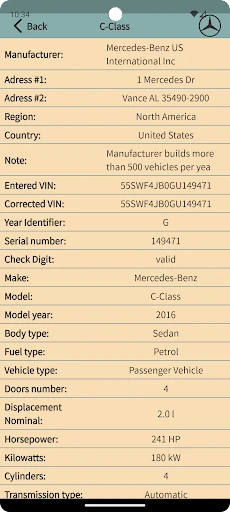
VIN Decoder & Vin check helps car buyers, sellers, dealers, and vehicle owners examine a vehicle identification number before making a decision. Enter a VIN manually, scan its barcode with the camera, or use text recognition to capture characters from a VIN label or plate. The app is designed for the standard 17-character vehicle identification format and checks the entry before processing it.
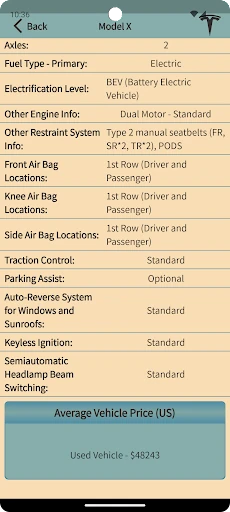
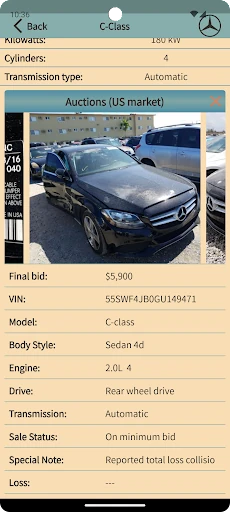
After a VIN is submitted, the app can return decoded vehicle details along with available auction history and average pricing information. That makes it useful when comparing a listing with past market activity or preparing questions for a seller. It is a research tool rather than a substitute for a physical inspection, service records, or an independent vehicle report.
The camera-based options are helpful on dealership lots, at auctions, or beside a privately sold vehicle, where copying a long VIN by hand can introduce mistakes. Results depend on the data available from connected sources, so pricing and auction records should be treated as supporting information rather than a guarantee of a car’s condition, history, or value.
Developed by Vin Check for Auto & Vehicles, the app has a 4.55 rating from 1,032 reviews and 100,000+ installs. Those figures give it a meaningful record among users looking for a straightforward way to decode and investigate vehicle identification numbers.